Native speed
File operations, search, and compression are implemented in Rust — snappy even with huge folders.
Windows · macOS · Linux
Split panes, tabs, search, and previews — all in one place.
Shirube-Filer combines native Rust speed
with the freedom to reshape every corner of the app.
No telemetry, fully local / Source available (noncommercial) + official app sold on stores
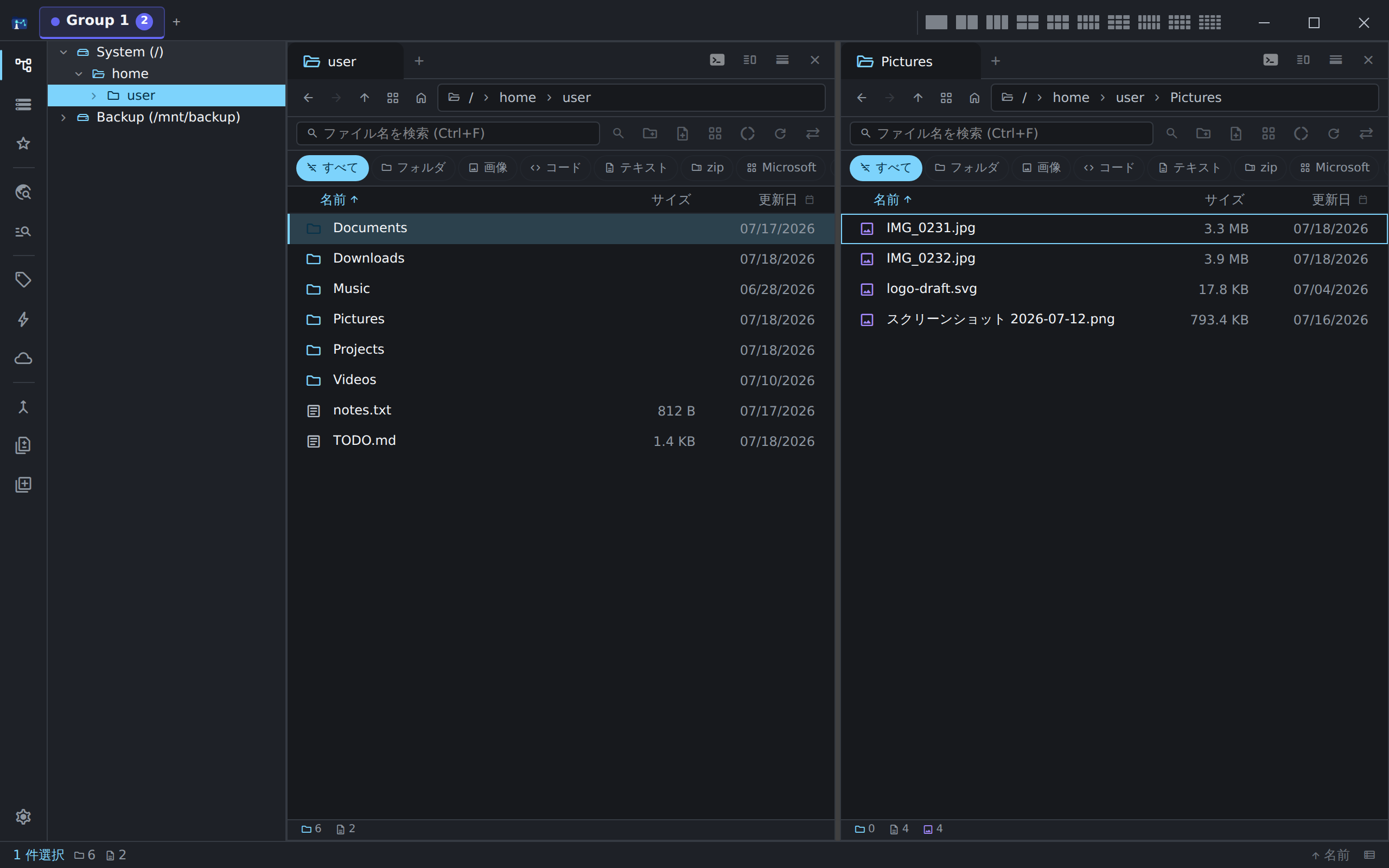
Work on two folders side by side in dual panes — tree, tabs, and type filters in one window.
File operations, search, and compression are implemented in Rust — snappy even with huge folders.
Split panes and tab groups any way you like. Save and share layouts as JSON/YAML/XML.
Instant index search, grep full-text search, folder compare, and duplicate detection — built in.
Text, Markdown, images, PDF, video, audio, hex, and EXIF metadata — right in place.
Cloud add-ons, themes, keybindings, and a command palette let you extend it freely.
A consistent experience on Windows, macOS, and Linux. Take the same workflow anywhere.
Shirube-Filer is a file manager that runs on your device.
Alongside local files, it can browse, upload, download, and sync
files on cloud storage you have explicitly connected — in the same window.
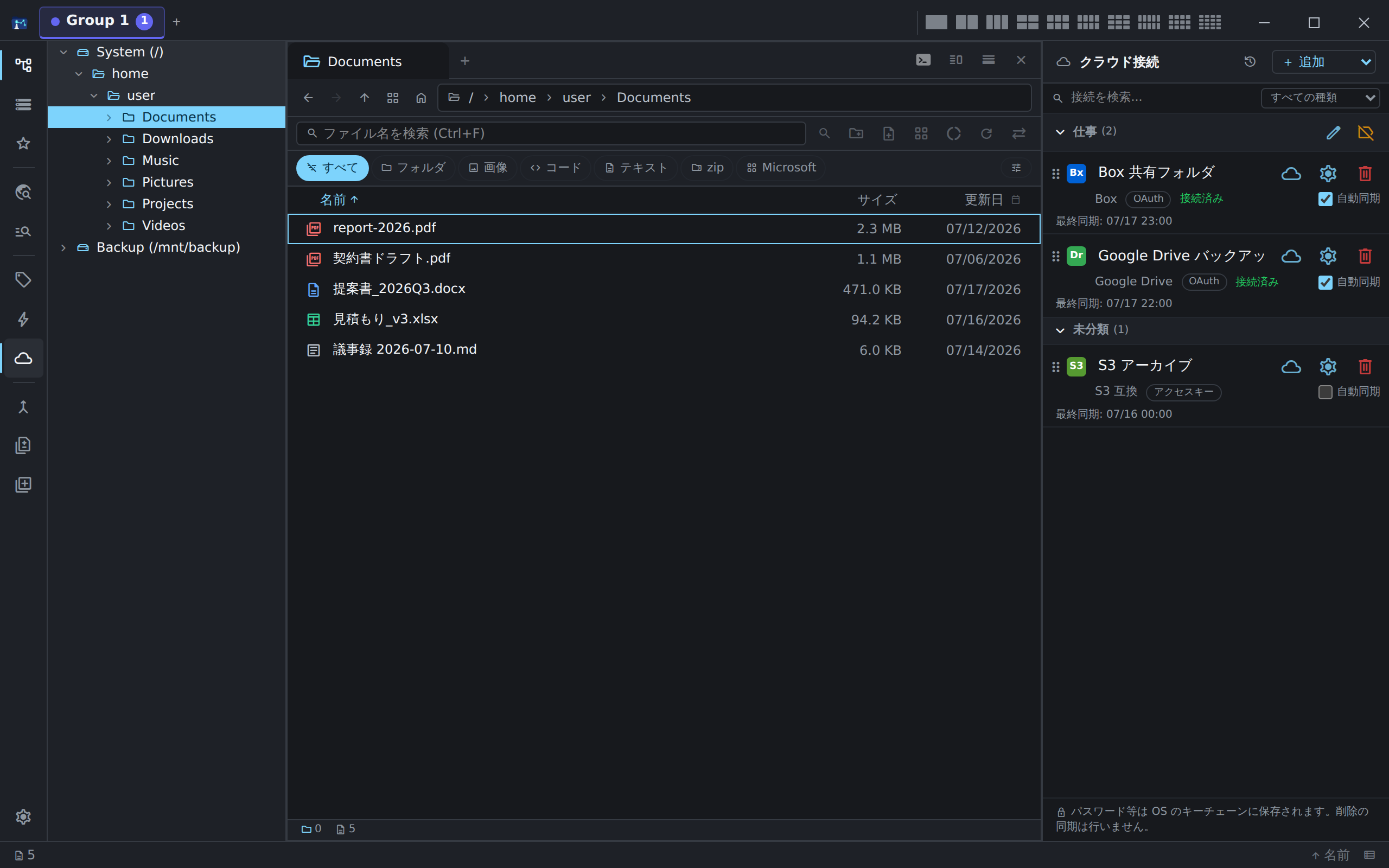
The cloud connections panel — add connections, group them, auto-sync, and view history in-app.
Shirube-Filer connects to cloud storage only when you explicitly authorize the connection.
Connections are used solely for the core purpose of a file manager: listing, browsing, uploading, downloading, and syncing the files and folders you choose.
All retrieved data is processed on your device.
Nothing is sent to or sold to the developer or third parties (no telemetry).
Credentials and tokens are stored in your OS secure store (Windows Credential Manager / macOS Keychain / Linux Secret Service), and you can disconnect at any time from within the app.
Services connected via OAuth 2.0: Box / Dropbox / Google Drive / Google Cloud Storage / OneDrive.
Authorization happens directly on each service’s sign-in page; no developer-operated relay server is involved
(for Box only — because it requires an HTTPS redirect URI — the browser returns to the app via a static relay page on this site, which does not store or transmit authorization codes).
Services you connect with your own credentials: S3-compatible storage / Azure Blob Storage / SFTP / WebDAV.
For details on how user data is handled for each service, including Google Drive / Google Cloud Storage, see the Privacy Policy.
Your files and your activity never leave your device.
Use it for your daily work with confidence.
No usage data or files are ever sent to the developer. There is no analytics or tracking — everything runs on your device.
Cloud keys and tokens are kept in Windows Credential Manager / macOS Keychain / Linux Secret Service — never stored in plain text.
Erase settings, local data, and stored credentials in one action. Reset without a trace before uninstalling.
You can verify what the app does by reading the source. No hidden network calls or data collection.
See the Privacy Policy / Terms of Use for details.
The official signed app is sold on app stores (with a proper license that covers business use).
Building from source is free for noncommercial use only.
Pricing and release date are being finalized. Follow the GitHub repository for updates.
The app’s source is published under PolyForm Noncommercial 1.0.0.
Reading, learning, and personal or nonprofit use are free.
For commercial use, get a separate license or buy the official store edition.
Independent of sales, you can support continued development
via GitHub Sponsors.